
If you’ve ever tried making a video from scratch, you already know how it goes. You start with a simple idea. Then suddenly, you’re dealing with editing tools, timelines, voiceovers, and a bunch of things you didn’t plan for. What should’ve taken 20 minutes turns into hours. That’s exactly why tools like a text to video generator are getting so popular. Instead of figuring everything out step by step, you just write what you want and the video builds itself around that. It’s not magic, but it does feel pretty close the first time you try it.
What is a Text to Video Generator?
Let’s keep this simple. A text to video generator is a tool that takes your written content and turns it into a video. You don’t need to drag clips, adjust timelines, or worry about editing software. You just give it text, that’s your starting point.
Most of these tools run on AI, so they’re able to understand what your text is about and match it with visuals, scenes, and even voice. That’s why people also call it an AI video creation platform . It’s not just helping, it’s doing most of the work for you.
How a Text to Video Maker Works
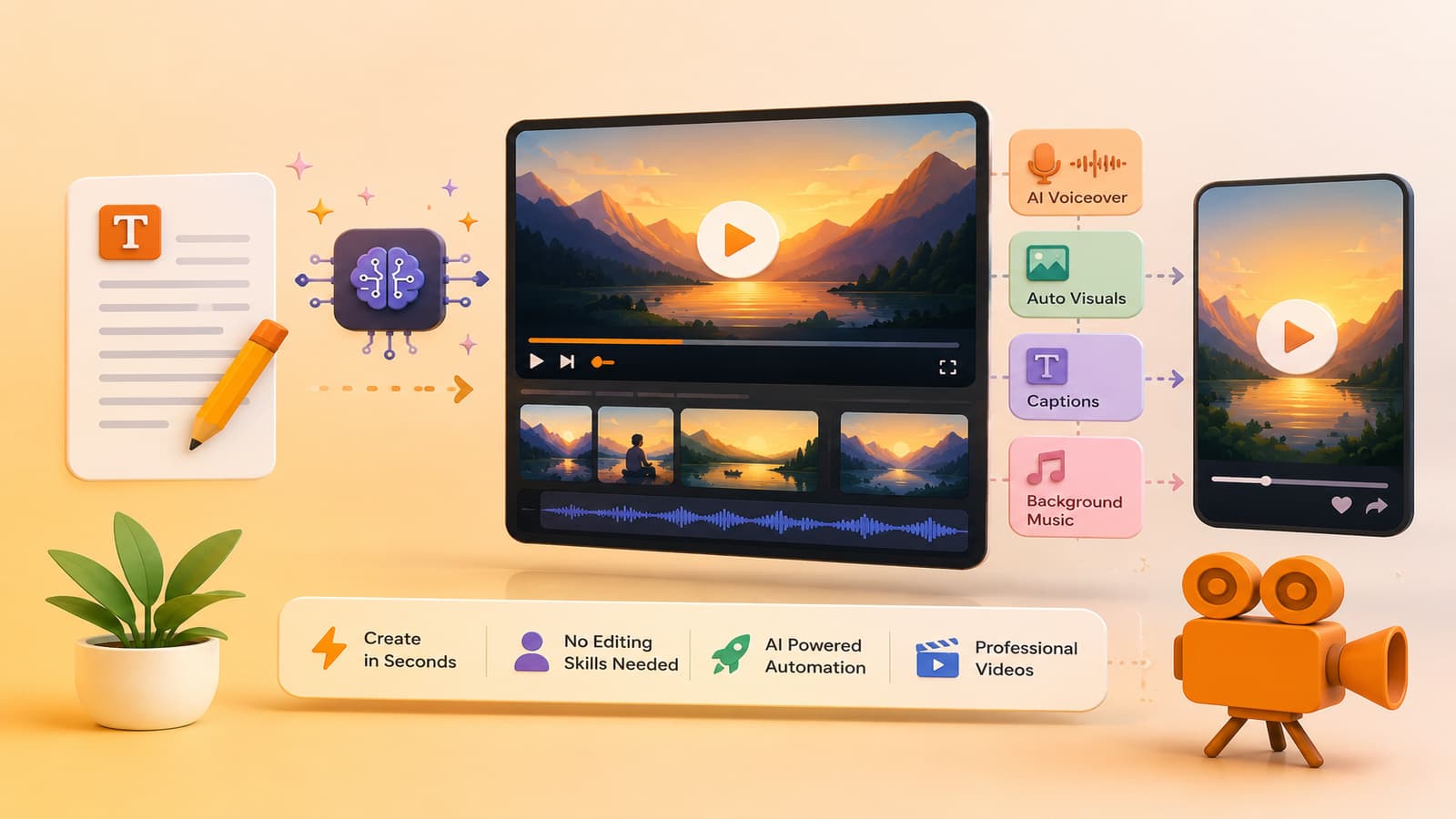
At first, it sounds technical. But when you actually use a text to video maker, the process is surprisingly simple.
Here’s what usually happens:
• You add your text - It can be a script, a few lines, or even content created using an AI transcription tool.
• The tool splits it into scenes - Each part of your text becomes a small visual section.
• Visuals get added automatically - Images or clips are matched with your content. Sometimes perfectly, sometimes you tweak them a bit.
• Voice gets generated - A built-in text to speech tool turns your text into audio. Some tools also offer an AI voice generator if you want something more natural.
• Everything is put together - The final video is ready within minutes.
You can also flip the process. For example, use speech to text online tools to turn audio into text, and then convert that into a video.
Why Use a Video Generation Platform?
The biggest reason? It removes the hard part. A video generation platform makes video creation feel less like a task and more like something you can just do when needed. Here’s what stands out:
• It’s fast - You don’t spend hours editing
• It’s simple - No learning curve
• It scales easily - One video or ten, it’s the same effort
• It keeps things consistent - Your videos follow a similar structure
If you’re creating content regularly, this saves a lot of energy. You’re not starting from zero every time.
Key Features of an AI Video Creation Platform
Not every feature matters. Some just sound good on paper. But the useful ones? They make things easier without overcomplicating them.
• Text to video maker - Turns your ideas into videos quickly
• Templates - Helps you skip design decisions
• Automation - Handles transitions, timing, and flow
• Simple editing options - Fix small things without getting stuck
• Voice integration - Add audio easily using a text to speech tool
Some platforms also work well with an AI transcription tool. That means you can take existing content and reuse it instead of starting fresh.
Real Use Cases of Text to Video Generator
This is where it gets interesting. A text to video generator isn’t just for one type of user. People are using it in different ways depending on what they need.
• YouTube - Create videos from scripts without recording yourself.
• Marketing - Turn product ideas into short videos quickly.
• Social media - Post content more often without spending hours editing.
• Education - Explain things visually instead of writing long text.
• Content repurposing - Take a blog, convert it into video, or use speech to text online tools to reuse audio.
For example, a simple article can become a short video in minutes. That same content can be used across different platforms.
Tips to Get Better Results with a Text to Video Generator
• Keep your script clear - Don’t overcomplicate sentences
• Break things into smaller parts - It helps the tool create better scenes
• Check the visuals - Adjust them if they don’t fit
• Use voice carefully - Try different tones with an AI voice generator
• Stick to one idea per video - Too much information can make it messy
Think of it like guiding the tool instead of controlling it completely.
How to Choose the Right Text to Video Generator
There are plenty of options out there, and honestly, many of them feel similar. So instead of trying to find the “perfect” one, focus on what works for you.
• Is it easy to use? - If it feels confusing, you won’t stick with it
• Does it have the basics? - Text to video maker, templates, and voice tools
• Does the output look good? - Clean, simple, and usable
• Can you make small edits? - Flexibility matters
• Does it work with other tools? - Like a text to speech tool or AI transcription tool
Conclusion
Video creation used to feel like something you had to plan for. Now, it’s something you can just do when you have an idea. A text to video generator doesn’t remove effort completely but it removes enough friction to make things easier. And that’s what matters. If you haven’t tried it yet, start small, take a short script, or use an AI transcription tool to convert something you already have. Turn it into a video and see how it feels. Once you get used to it, it becomes part of your workflow without you even thinking about it.
If you haven’t tried it yet, start small. Take a short script or existing audio, convert it into a video, and see how naturally it fits into your workflow.