
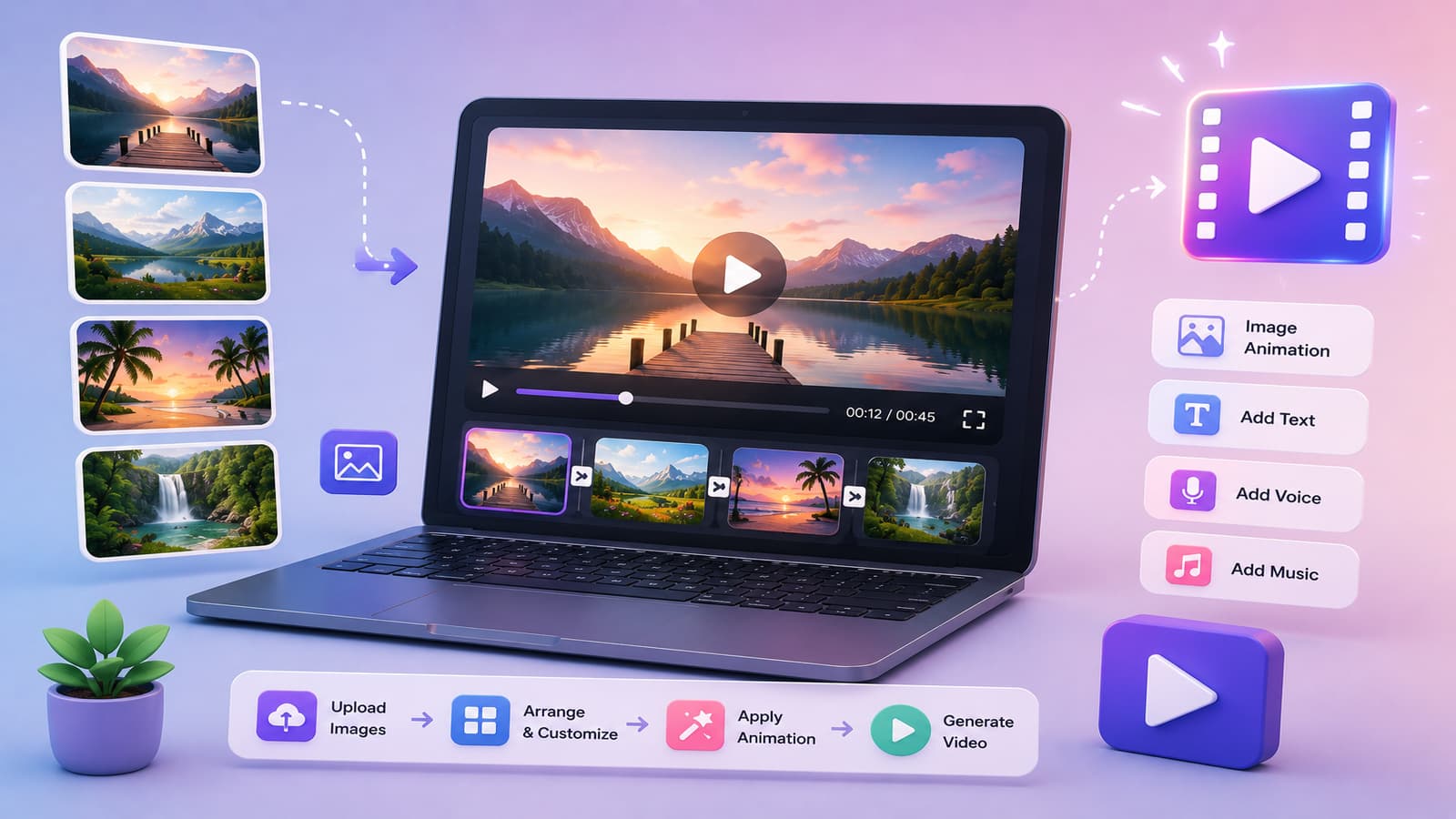
The Power of Animating Still Images
Image-to-video AI has quietly become one of the most practical and impactful applications of generative technology. While text-to-video captures headlines with its creative possibilities, image-to-video solves a more immediate, urgent business problem: how to breathe life into the millions of static images that already exist in enterprise systems, product catalogs, and brand archives.
E-commerce platforms generate between 2-5 new product images daily. Architectural firms maintain portfolios of thousands of building photographs. Real estate agents take hundreds of property shots. Marketing teams curate libraries of lifestyle imagery. Rather than re-shooting these assets as video (prohibitively expensive and time-consuming), image-to-video AI animates them with subtle motion that dramatically increases engagement and conversion.
The technology works by analyzing the content and composition of a static image, then predicting what motion would naturally unfold if the scene continued. A flower field photograph might develop gentle wind motion. A product shot might rotate slightly to reveal dimensions. A landscape might develop cinematic parallax as the virtual camera pans.
Real-World Use Cases That Drive ROI
E-Commerce and Product Marketing
This is the killer use case. Convert your product photography library into dynamic product videos without reshoting. A static product image becomes a rotating 360-degree view, a close-up of material texture, or a demonstration of the product in context.
Impact: Product pages with video show 34% higher conversion rates. For a mid-market e-commerce business doing $10M annually, a 2-3% lift in conversion translates to $200,000-$300,000 in incremental revenue. Animating your existing product catalog costs thousands, not hundreds of thousands.
Real Estate and Architectural Visualization
Transform a static property photograph into a guided tour. The camera pans across a living room, zooms on architectural details, or reveals a view through a window. Virtual staging adds furniture or landscaping, all powered by AI.
Agents can generate premium property videos in minutes rather than scheduling videography crews. Virtual tours increase property showings by 27% and reduce time-on-market by an average of 8 days—critical metrics in competitive markets.
Social Media Content Production
Repurpose static social posts and graphic designs into short video clips. A brand campaign photograph becomes a cinematic clip with motion and parallax effects. A lifestyle image becomes a 15-second reel for Instagram or TikTok.
Videos receive 1200% more shares than text and images combined. Marketing teams that animate their image libraries at scale see dramatic improvements in engagement metrics and reach.
Artwork and Animation
Artists and illustrators can animate their static works, adding motion and depth without complex animation skills. Digital art becomes dynamic content. Concept art evolves into animated storyboards or presentation materials.
Heritage and Archival Content
Museums, historical societies, and archives can bring static photographs to life. A historical portrait gains subtle movement. An archival landscape photograph receives cinematic camera motion, making historical content more engaging for modern audiences.
Understanding Motion Controls
Image-to-video doesn't just add random motion. Modern platforms provide granular controls over how the AI animates your image:
Motion Type
- Subtle: Gentle, barely-perceptible motion. Best for product photography and professional contexts.
- Moderate: Noticeable but natural motion. Camera pans, gentle rotations, or light wind effects.
- Dynamic: Pronounced motion suitable for creative or dramatic content. Sweeping camera movements or more aggressive object motion.
Camera Movement
Specify how the virtual camera should move through the scene:
- Pan: Camera sweeps left or right across the image.
- Tilt: Camera moves up or down.
- Zoom: Camera moves forward into the scene, revealing detail.
- Dolly: Camera moves through space while maintaining focus.
- Parallax: Multiple planes move at different speeds, creating depth perception.
- Static: Camera remains stationary while objects within the scene move.
Duration and Speed
Control how quickly the animation unfolds. A 6-second clip moving slowly feels cinematic and thoughtful. A 3-second clip with fast motion is energetic and punchy. Choose based on intended platform and emotional tone.
Loop Behavior
Specify whether the animation should loop seamlessly (returning to the starting state) or complete once and hold on a final frame. Loop behavior matters for social media tiles and background videos.
Best Practices for Source Images
Resolution and Image Quality
Source images should be high-resolution (minimum 1920x1080, ideally 3000+ pixels for critical work). The AI uses every pixel of information to understand the scene. Low-resolution or heavily compressed images produce muddy, less convincing animations. Lossless formats (PNG) or high-quality JPEGs preserve detail.
Composition and Depth
Images with clear depth planes (foreground, mid-ground, background) animate best. A product shot against a simple background is easier to animate than a flat, head-on document scan. Architectural photography with visible depth and perspective produces superior parallax effects compared to flat object shots.
Lighting Consistency
Consistent, well-balanced lighting is critical. Harsh shadows or extreme backlighting can confuse the AI's understanding of scene geometry. Professional product photography typically animates better than casual smartphone snapshots.
Subject Matter Considerations
Objects and scenes with clear physical structure animate reliably. A coffee mug can rotate convincingly. A building can develop realistic parallax. Highly abstract or surreal imagery may produce unexpected or unrealistic motion. Similarly, images with human faces should be reviewed carefully, as facial animation can be uncanny if not handled properly.
Aspect Ratio
Different aspect ratios suit different use cases. Landscape (16:9) for web and presentations. Square (1:1) for social media feeds. Vertical (9:16) for stories and mobile. Choose aspect ratio based on final distribution platform, then crop or recompose your source image accordingly.
Image-to-Video vs. Text-to-Video: Choosing the Right Tool
When to Use Image-to-Video
- You have existing, high-quality static images
- You need brand consistency with existing photography
- You're animating product photos, real estate listings, or lifestyle imagery
- Quality and realism are paramount (product marketing, e-commerce)
- You want predictable, consistent output without creative variation
- You're working with visual reference material that must be maintained
When to Use Text-to-Video
- You're starting from creative concept, not visual assets
- You need to generate custom scenes that don't exist yet
- You're creating explainer videos, animated stories, or conceptual content
- You want artistic flexibility and creative variation
- You need multiple visual interpretations of the same concept for A/B testing
- Speed and iteration are more important than photorealistic accuracy
The best enterprise strategies often use both. Start with existing brand photography via image-to-video, then complement with text-to-video for conceptual or supplementary content.
Step-by-Step Guide Using VideoScripter
1. Prepare Your Source Image
Export your image at high resolution (minimum 1920x1080, ideally higher). Ensure proper color space (sRGB for web, Adobe RGB for professional work). Save as PNG or high-quality JPEG. Verify composition and lighting are optimal for animation.
2. Navigate to VideoScripter's Image-to-Video Tool
Log in to your VideoScripter account, click "Create," and select "Image to Video." Upload your prepared image. The system immediately analyzes the content and presents motion control options.
3. Configure Motion Parameters
Choose your motion type (subtle, moderate, dynamic), camera movement direction, animation duration (6-15 seconds recommended), and loop preference. VideoScripter provides real-time previews as you adjust parameters, showing you exactly how the final video will move.
4. Set Output Specifications
Select target resolution (1080p or 4K), aspect ratio, and frame rate (24fps for cinema-quality, 30fps for web, 60fps for smooth social media content). Choose any desired post-processing: color grading, watermarking, or branding overlays.
5. Generate and Review
Click "Generate." VideoScripter processes your request and produces a video within 2-5 minutes depending on duration and resolution. Download the video or iterate with different motion parameters to compare variations.
6. Integrate with Your Workflow
Use VideoScripter's API to automate image-to-video generation at scale. Trigger video creation from your product database, CMS, or marketing automation platform. New products automatically generate animated videos without manual intervention.
Advanced Techniques for Maximum Impact
Batch Processing for Scale
For e-commerce platforms with thousands of products, VideoScripter's batch API enables processing entire image catalogs programmatically. Upload 500 product images and generate 500 animated videos with consistent styling in hours, not weeks.
Multi-Image Sequences
Some advanced scenarios involve uploading multiple images to create smooth transitions between shots. A real estate listing might transition from exterior to kitchen to bedroom. VideoScripter supports sequencing multiple source images into coherent video narratives.
Adding Audio and Music
Animated videos paired with appropriate music, voiceover, or ambient sound dramatically increase engagement. VideoScripter integrates with music licensing services and enables audio syncing. Choose music that matches your motion speed and emotional tone.
The Competitive Advantage
Organizations that master image-to-video AI gain measurable competitive advantages. They produce content 10x faster than competitors who rely on traditional videography. They maintain visual consistency across thousands of assets without manual curation. They adapt quickly to market changes, updating and reanimating imagery in real-time.
Whether you're running an e-commerce platform, real estate operation, creative agency, or marketing team, image-to-video AI is no longer a nice-to-have—it's becoming table stakes. VideoScripter makes this transformation accessible, practical, and measurable. Start by animating a small batch of your best existing images, measure the impact on engagement and conversion, then scale across your entire visual inventory.
